












For agencies
SEO & AI Search Visibility Agents Tool for SEO Agencies
Your clients want to know why ChatGPT recommends their competitors. Track each client, fix the gaps and send reports with your logo on them.
This week, a client asked why ChatGPT recommends their competitor.
Orchly tracks every client in its own workspace, runs agents to fix the gaps, and sends the report with your logo on it.
- 01 Track
- 02 Prioritize
- 03 Act
- 04 Measure
- Repeat
What you run for each client
Track, fix and report on AI search for every client in one place
The same workflow for every account, so a new client means a new workspace, not a new process.
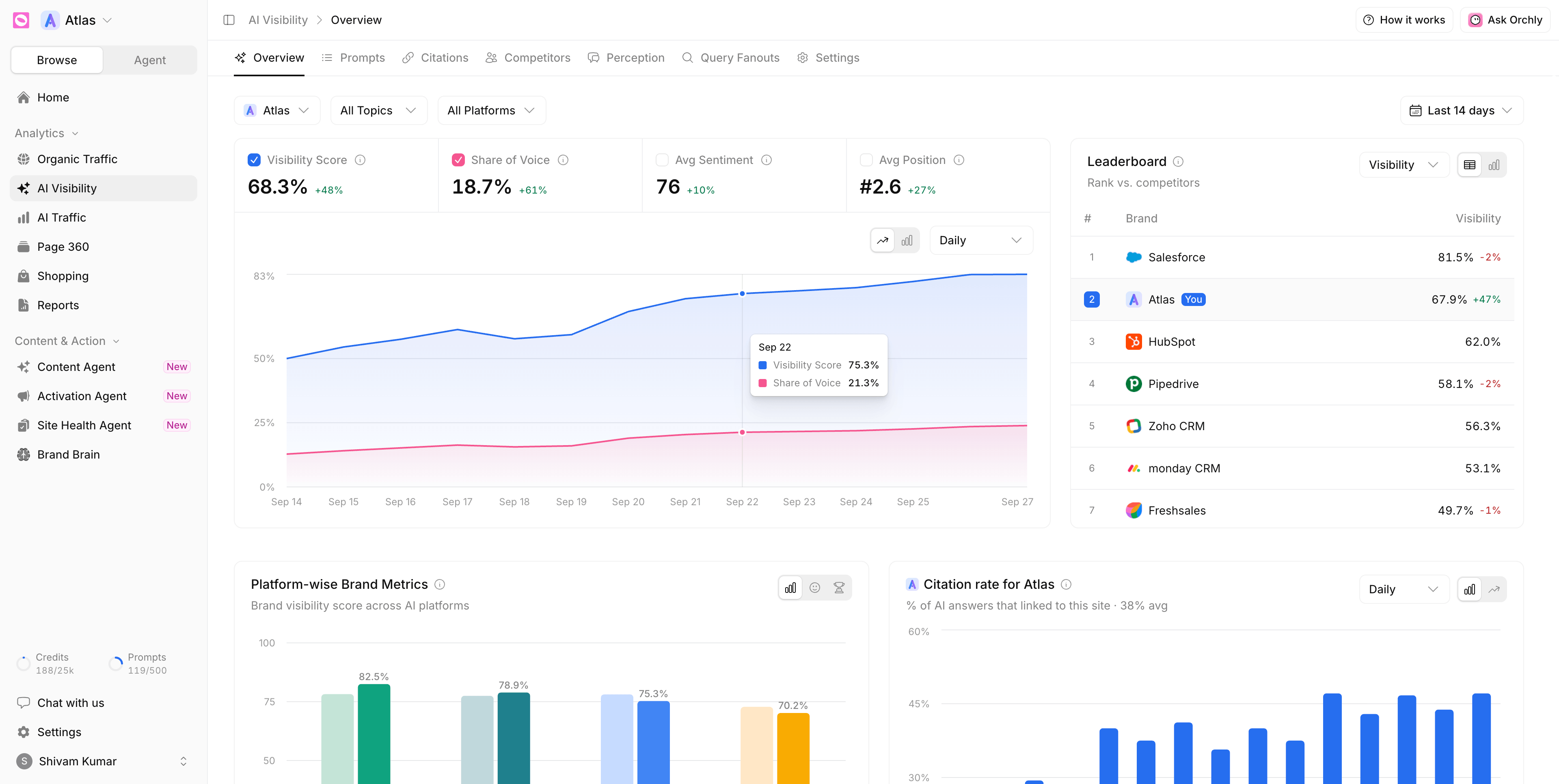
Put each client next to the brands they lose to engine by engine and prompt by prompt
Perplexity Keep the Google rankings clients still ask about daily, by country and device
Find the pages holding each client back with a suggested fix for every issue
Deliver content in each client’s voice drafted from their own brand kit
Most single implants in Austin cost $3,000 to $5,000, crown included. Your final price depends on bone grafting, the crown material and your insurance, so we price every plan after a free consult.
The implant post, the abutment and the crown, plus check-ups for the first year.
- Single implant: $3,000 to $5,000
- Implant bridge: $6,000 to $10,000
- Full arch: $20,000 to $28,000
Is your brand mentioned in
ChatGPT ?
Get a free analysis of your brand visibility in AI tools like ChatGPT, Gemini, Perplexity and more.
Built for client work
Run twelve clients the way you run one
Separate workspaces, access scoped to the people on each account, and reports clients open from a link.
Keep client data separate agents included
Your logo on every report as a link or PDF
Give access by client Admin or Member
Prove AI search sends visits per client, per engine
-
ChatGPT 1,480 46%
-
Perplexity 762 24% -
Gemini 512 16%
-
Claude 298 9%
-
Grok 162 5%
Track clients in every market and language
-
United States English -
Brazil Português -
Spain Español -
Germany Deutsch -
India हिन्दी -
Japan 日本語 -
Australia English
Can I manage multiple clients in Orchly?
Yes. Each client gets its own workspace with its own prompts, competitors, integrations and agents, so client data never mixes. During sign-up, choose “I am an Agency” and add your agency details before your first client.
Can I white-label client reports?
Yes. Add your logo and agency name under Settings, White Label, and every report you share carries your branding instead of Orchly’s.
How do clients receive their reports?
Create a report with the data you want, such as AI search, organic search, keyword rankings and social listening, then send the live link or download a PDF. The report list shows how many times each one has been opened.
Can I limit which clients each team member sees?
Yes. Invite people as Admins or Members and choose the workspaces each Member can open. Admins also manage billing, integrations and the team.
What do I track for a client in AI search?
The prompts their buyers ask, whether the client is mentioned, where they sit in each answer, the sources that get cited, and how competitors compare on each AI engine.
Does Orchly cover Google rankings and Search Console too?
Yes. You get daily keyword rankings by country and device, plus Search Console and GA4 data in one dashboard, next to AI visibility for the same client.
Can Orchly do the work, not just report on it?
Yes. Orchly turns gaps into tasks, and agents can draft articles, refresh pages and add links for each client using that client’s brand kit. Work can wait for your review before anything is published.
How long does it take to add a new client?
Setup takes about ten minutes. Orchly reads the client’s website and suggests topics, prompts and competitors, so you mostly review what’s already there.