How to Track Brand Sentiment in AI Search With Orchly
See whether AI engines describe your brand positively, neutrally, or negatively, and spot the prompts that need attention.
Showing up in AI answers is only half the story. The other half is what the answer says about you.
The Sentiment tab measures whether AI engines describe your brand positively, neutrally, or negatively, then digs into the themes behind that and how you stack up against a rival.
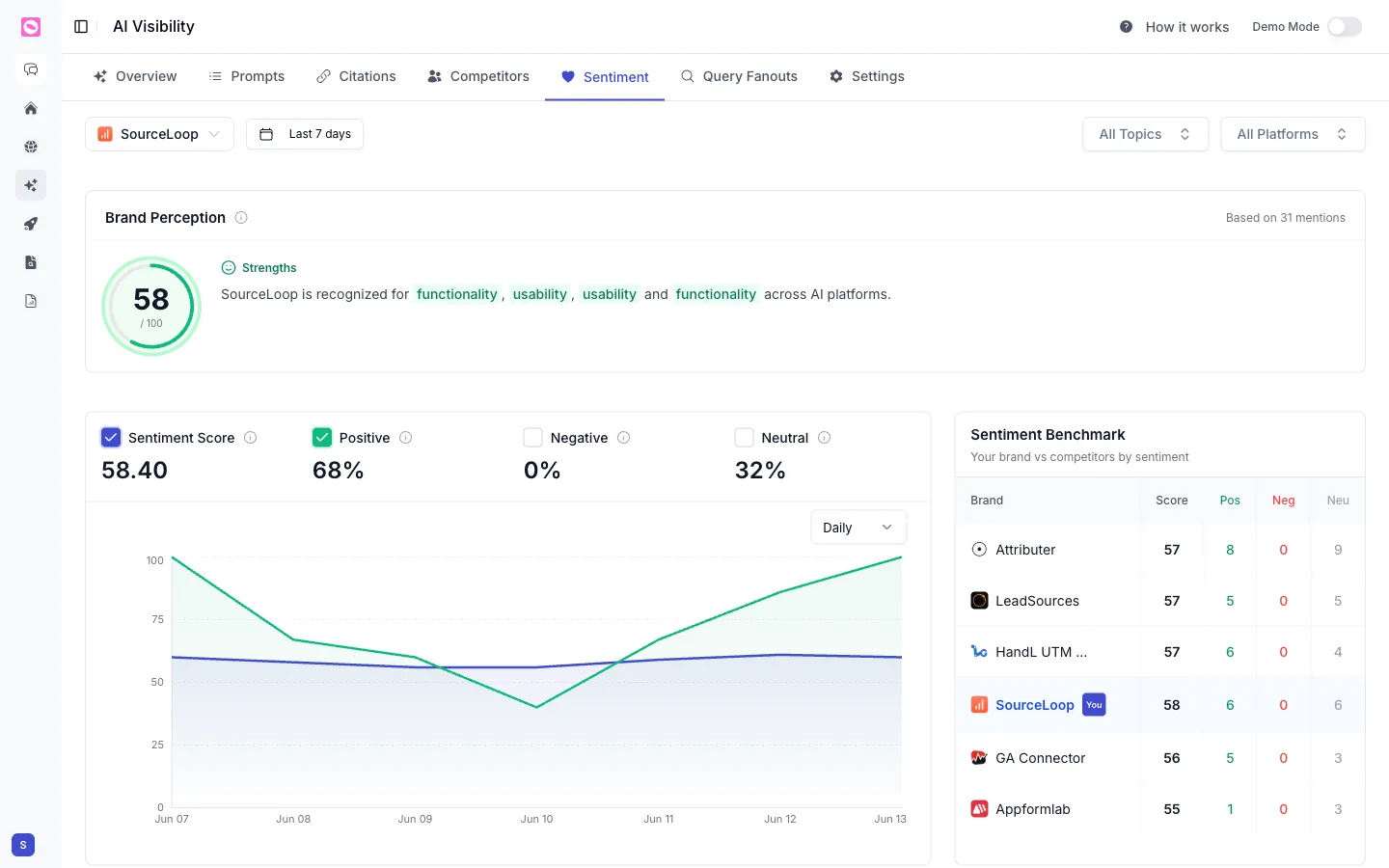
Brand Perception
At the top, Brand Perception gives you a single score out of 100 and the strengths AI engines associate with you, drawn from a count of recent mentions.
It’s the quickest read on how you come across.
The sentiment split
Below that, four numbers break your mentions down:
- Sentiment Score, your overall sentiment out of 100.
- Positive, the share of mentions that speak well of you.
- Negative, the share that speak poorly.
- Neutral, the share that simply mention you.
A trend chart plots these over time, so you can see a dip the moment it starts.
Head-to-head comparison
Sentiment means more next to a rival. The Head-to-Head Comparison puts your brand beside a competitor you choose and scores both out of 100, with a badge showing who’s ahead.
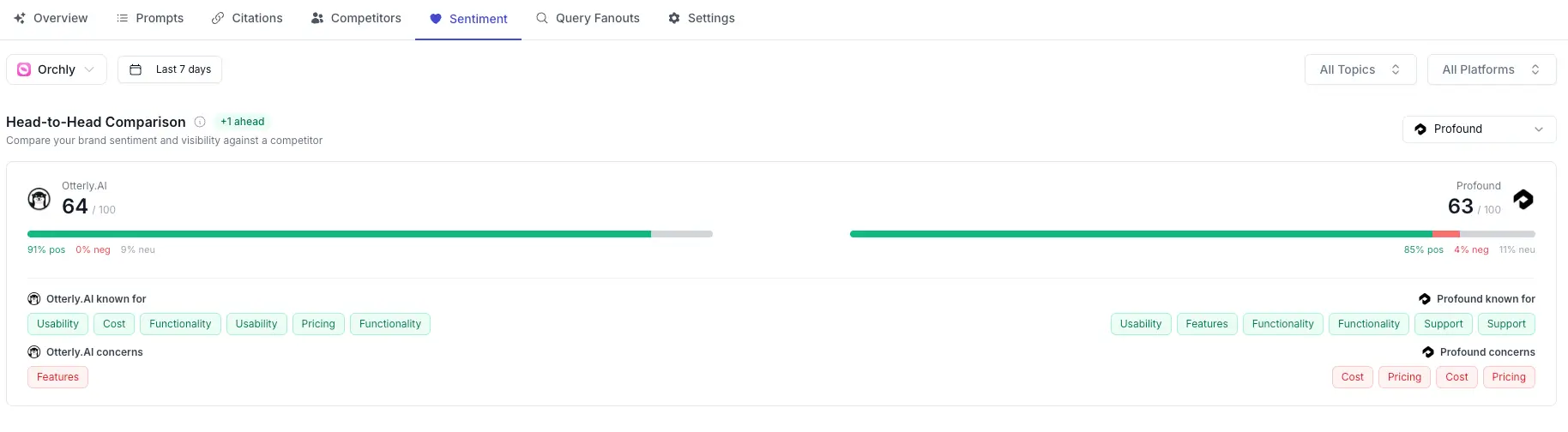
For each brand you see:
- The sentiment split, positive, negative, and neutral percentages side by side.
- Known for, the attributes AI praises (Usability, Pricing, Functionality, and so on).
- Concerns, the attributes AI flags as weaknesses.
Read the two columns together and you can see exactly where you win and where the competitor does. If they’re “known for” pricing and you’re not, that’s a message gap to close.
Themes and attributes
The Themes & Attributes view groups everything AI says about you into themes, so you understand not just the score but the reasons behind it.
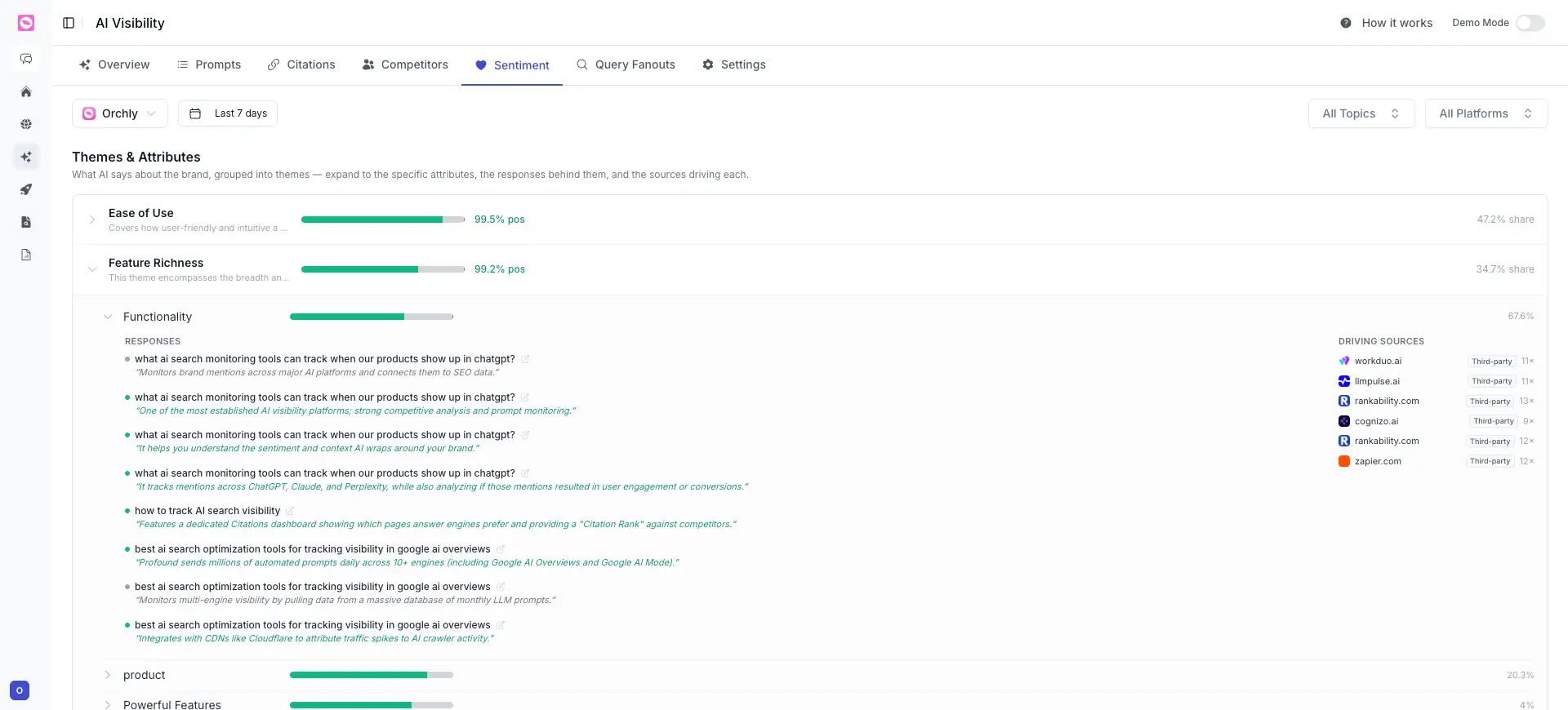
Each theme (Ease of Use, Feature Richness, and so on) shows its positive percentage and its share of the conversation. Expand one to go deeper:
- Attributes, the specific points inside the theme, like Functionality.
- Responses, the actual AI quotes that drove the score, in the engine’s own words.
- Driving Sources, the pages AI pulled from to form that view, with how many times each was used.
This is the trail from a number back to its cause. A theme scoring well tells you what’s working; the responses and sources show you why, and where to reinforce it.
When negative sentiment climbs, an AI engine is often repeating an outdated review or a stale comparison. The Driving Sources under a theme point you straight at the page it’s pulling from, so you can refresh or counter it. The same pages show up in your citations.
Filters
Switch the brand, choose a date range, and filter by All Topics or All Platforms to see whether a sentiment problem is specific to one engine or one part of your business.