How to track AI visibility in Orchly
See how often ChatGPT, Perplexity, Gemini, and other AI engines mention your brand, and grow that share over time. A full walkthrough.
Ask ChatGPT for “the best tool to track AI rankings” or get Perplexity to compare options in your category, and your brand is either in the answer or it’s missing. AI visibility is how often you show up in those answers, and Orchly tracks it across ChatGPT, Perplexity, Gemini, Google AI Mode, Google AI Overview, and Grok.
This guide covers how AI visibility tracking works in Orchly, how to set it up, and how to read each tab so you can tell whether your share of AI answers is climbing or slipping.
You only need a brand name to begin. Connecting Google Search Console and adding competitors makes the data richer, but neither is required to see your first results.
What AI visibility actually measures
Orchly runs a set of prompts against AI engines on a schedule, reads the answers, and records what it finds. From those answers it tracks four things:
- Visibility share. Out of all the prompts where your category came up, how often your brand was mentioned.
- Citations. Which of your pages the AI engine linked to or pulled from.
- Sentiment. Whether the mention was positive, neutral, or negative.
- Competitors. Which other brands showed up in the same answers.
Each prompt runs across the engines your plan covers, so you see one number for “how visible are we in AI search” and can break it down by engine, prompt, or competitor.
Orchly reads answers straight from the AI platforms themselves, the same interfaces a real person uses, not a stripped-down API feed. Prompts run from different locations and IP addresses, so the results reflect what an actual user in the wild would see, geography and personalization included. It’s as close as you can get to looking over your customers’ shoulders while they ask.
A worked example
Say you track 10 prompts across 3 engines (ChatGPT, Perplexity, and Gemini). Each time Orchly runs them, that’s 30 answers to read. In this batch:
- Your brand appears in 12 of the 30 answers.
- Across those answers, your brand and 4 competitors are mentioned, 50 brand mentions in total, 12 of them yours.
- When your brand is listed alongside others, it sits 2nd on average.
- Of your 12 mentions, 9 are positive, 2 neutral, 1 negative.
- 8 of the answers link to your site, all pointing at the same 3 pages.
Here’s how that turns into the numbers you see:
| Metric | This example | How it’s worked out | What it means |
|---|---|---|---|
| Visibility share | 40% | 12 answers with your brand ÷ 30 total answers | How often you show up at all |
| Share of voice | 24% | your 12 mentions ÷ 50 total brand mentions | Your slice of the conversation vs everyone else |
| Avg position | #2 | average rank when your brand is listed | Whether you’re named first or buried |
| Sentiment | ~75% positive | 9 of 12 mentions positive | How favorably AI describes you |
| Citations | 3 pages | the pages the 8 linking answers pointed to | Which content is earning the mentions |
Read together, this brand is reasonably visible (40%) and well-liked (75% positive), but it’s being out-mentioned by competitors (only 24% share of voice).
The fix is to win more of the prompts where it’s currently absent, using the same 3 pages that already earn citations as the model.
Step 1: Add your brand and prompts
Open AI visibility from the left sidebar and go to the Settings tab. Two things drive everything else:
- Your brand name. Add every name people might use for you, including common misspellings and your old name if you rebranded.
- Prompts. These are the questions you want to track. Write them the way a real buyer would ask, not the way you’d describe your product internally.
Good prompts sound like:
- best ai visibility tracker for agencies
- how to track brand mentions in chatgpt
- alternatives to [a competitor]
Prompts are grouped under topics, so related questions stay together and you can read visibility by theme.
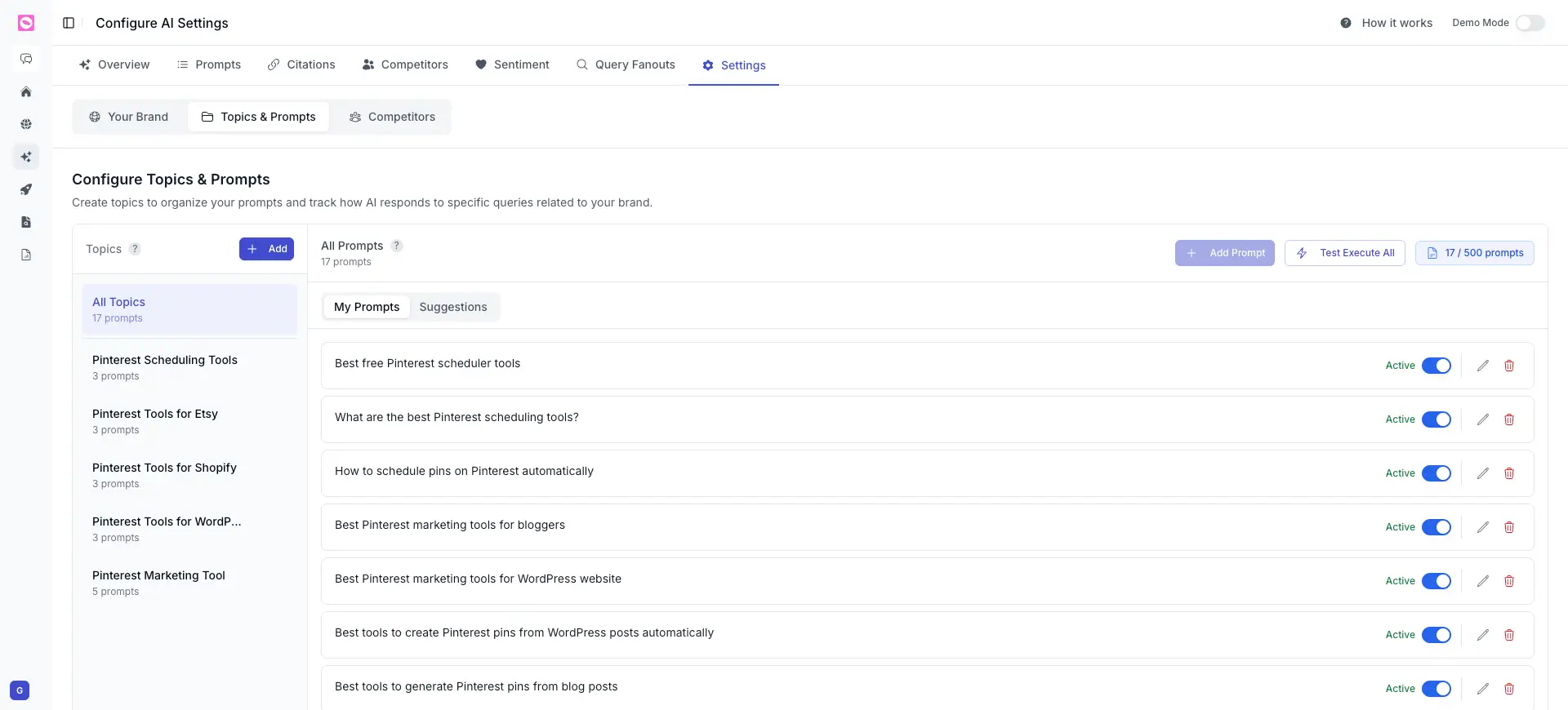
It is tempting to add fifty prompts on day one. Start smaller with the questions closest to a buying decision, see which ones your brand wins or loses, then expand. Fewer, sharper prompts are easier to act on.
Step 2: Add competitors
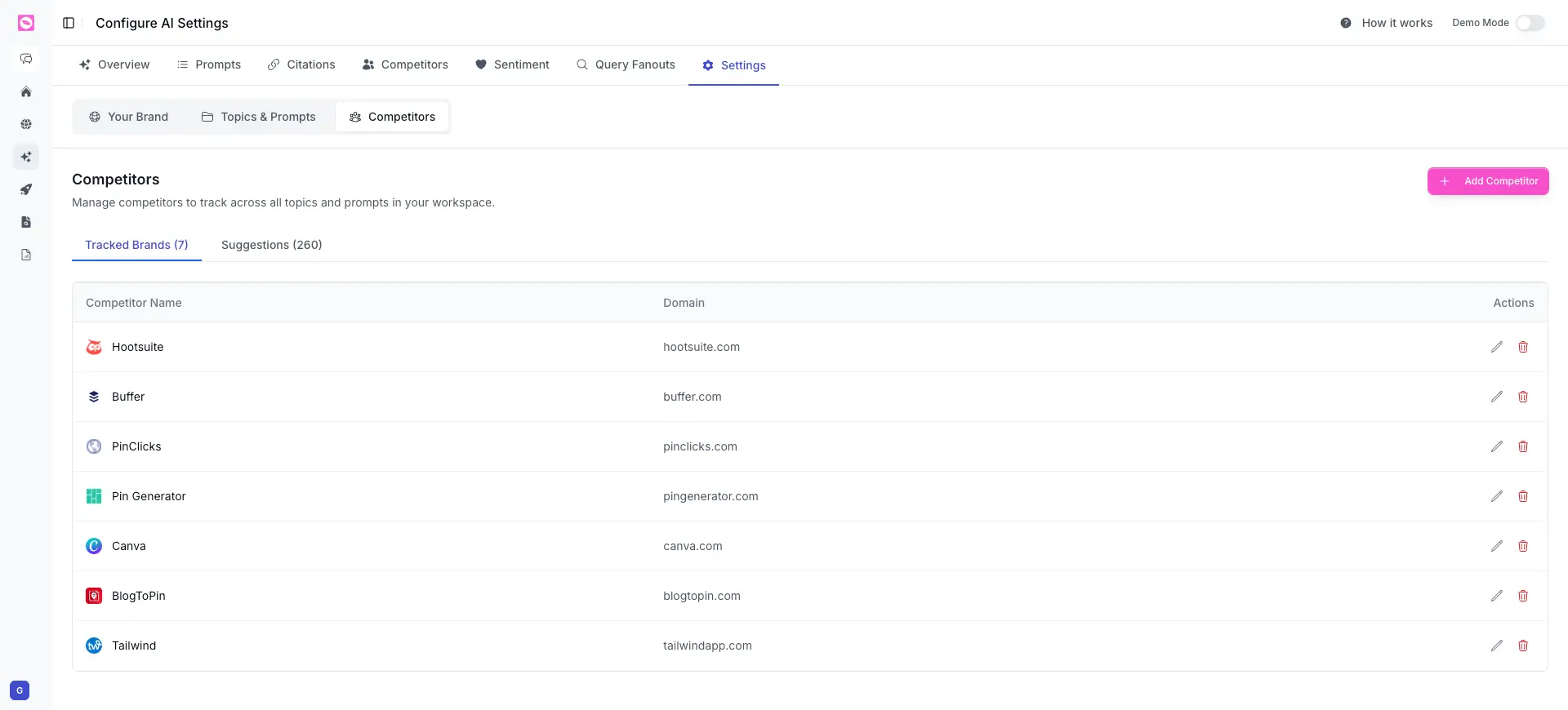
Still in Settings, on the Competitors tab, add the competitors you want to benchmark against. Give each one a name and domain.
Once they are in, every result shows your share next to theirs, so “are we visible” becomes “are we more visible than the three brands we lose deals to.”
Step 3: Read the overview
After the first run, the Overview tab gives you the headline numbers: your visibility share, how it is trending, and which engines mention you most.
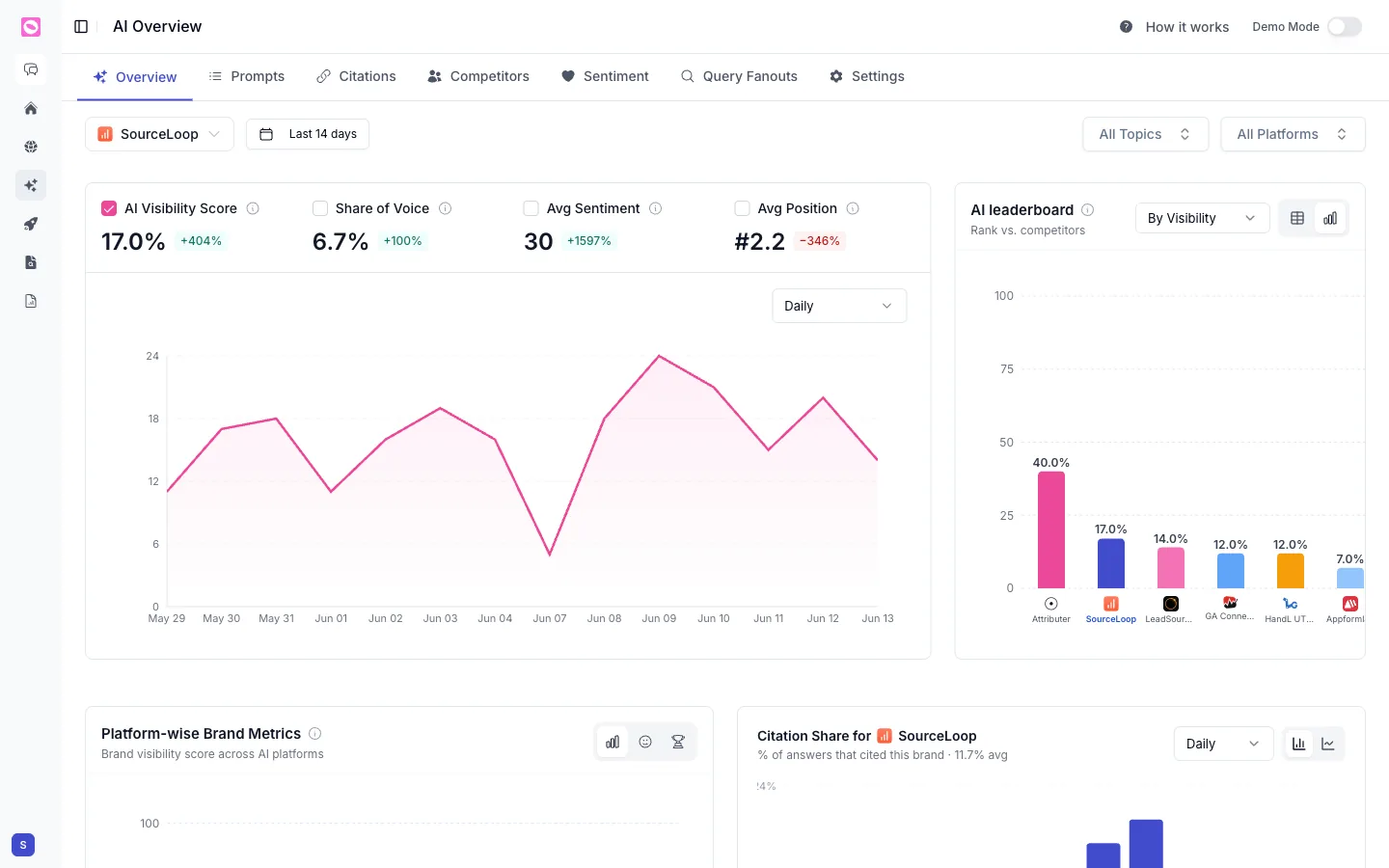
The top row gives you four numbers, each with its change versus the previous period:
- AI Visibility Score is how present your brand is across all tracked prompts and platforms.
- Share of Voice is your slice of all brand mentions in those answers.
- Avg Sentiment is how positively you are described, out of 100.
- Avg Position is your average rank when brands are listed.
Next to them, the AI leaderboard ranks you against competitors, and you can switch the chart between platforms and topics. Judge progress by the trend over weeks, not a single reading.
Step 4: Find which prompts win and which lose
The Prompts tab lists every prompt, grouped under the topic it belongs to, with a row of metrics for each. This is the most actionable view in the whole product.
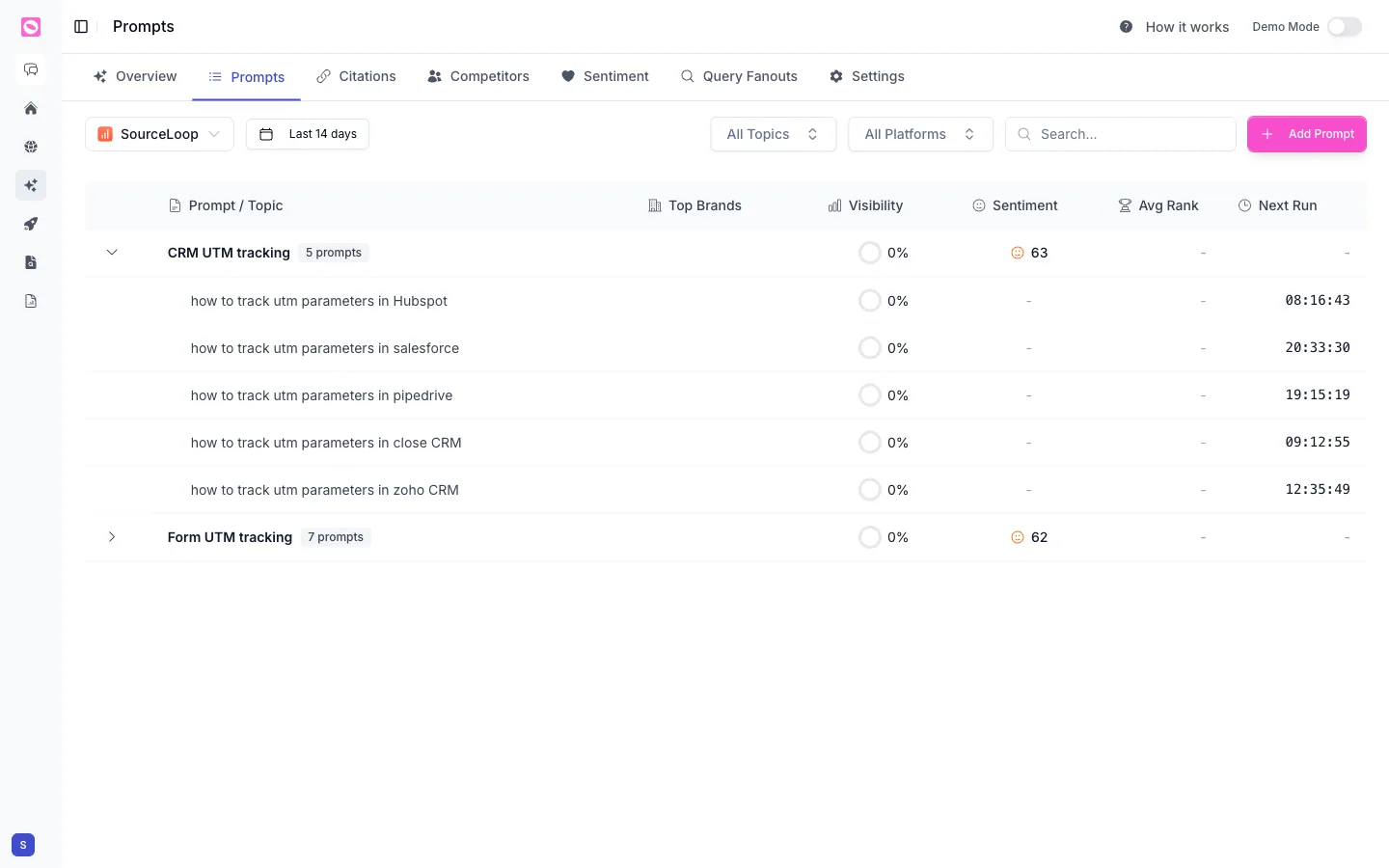
| Column | What it tells you |
|---|---|
| Prompt / Topic | The question being tracked, grouped by topic |
| Top Brands | Which brands show up most in the answer |
| Visibility | The share of runs where your brand appeared |
| Sentiment | How positively you are described, out of 100 |
| Avg Rank | Your average position when brands are listed |
| Next Run | When Orchly will run the prompt again |
Look for the prompts where buyers are clearly asking but your visibility sits at zero. Those are your content roadmap. Use Add Prompt to track new ones.
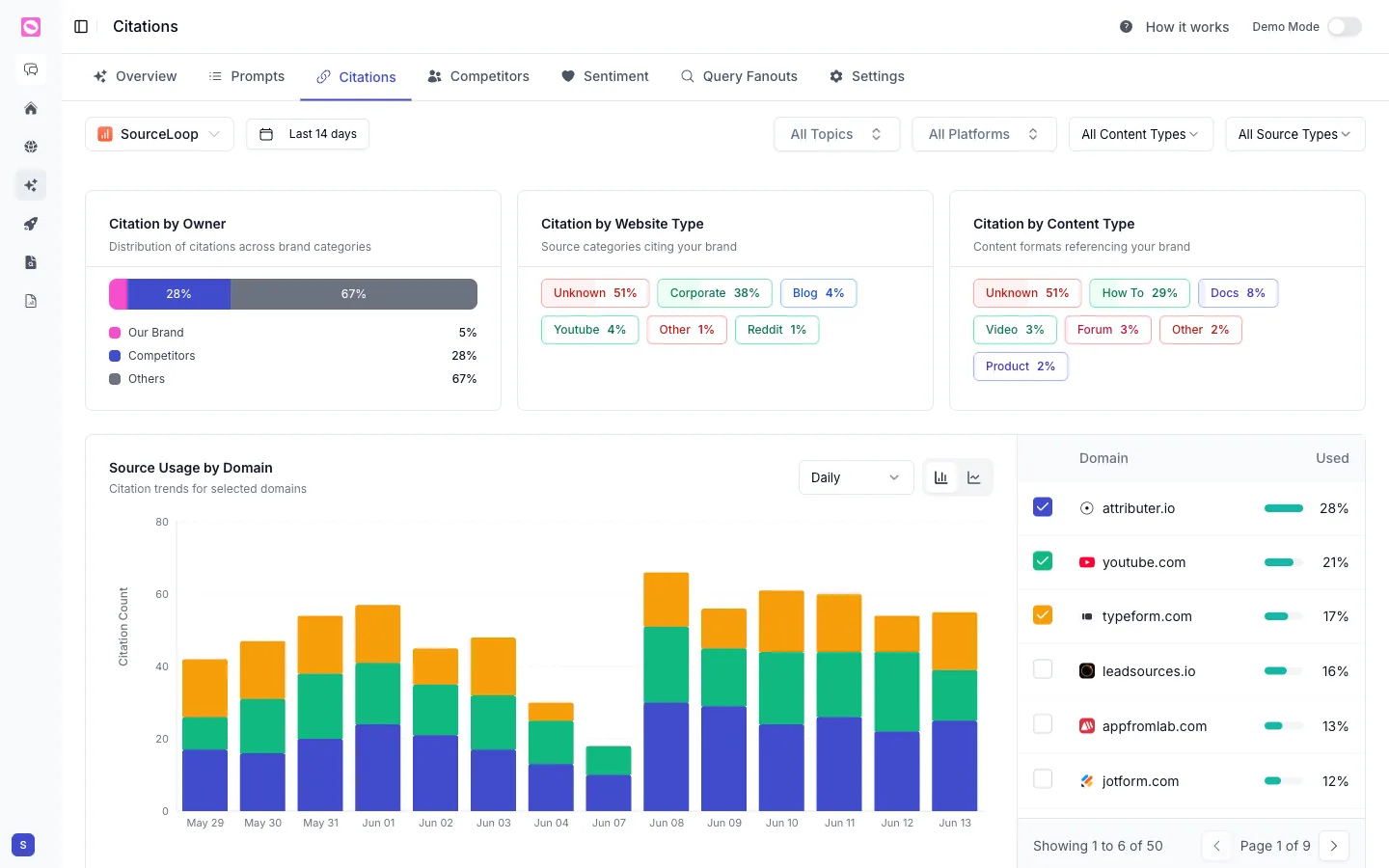
Step 5: See which pages get cited
The Citations tab shows which of your URLs AI engines pulled from.
If one page earns most of your citations, study what makes it work and repeat the pattern. If a page you care about earns none, that is a gap worth fixing.
Step 6: Compare against competitors
The Competitors tab turns visibility share into a head-to-head. You see who wins each prompt and where you trail.
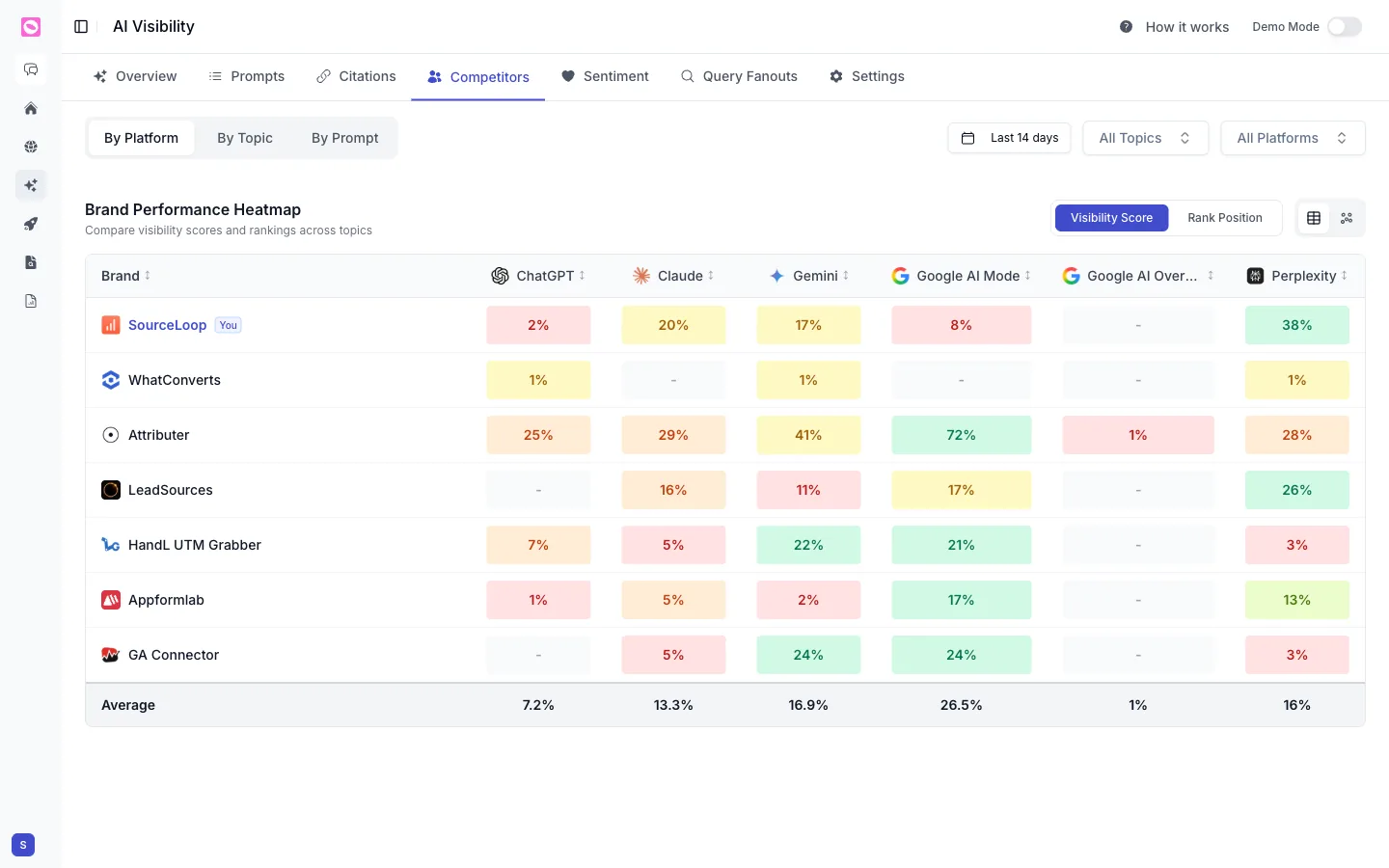
The Competitors tab is a heatmap of visibility per AI platform (ChatGPT, Claude, Gemini, Google AI Mode, Google AI Overview, Perplexity). Your brand is marked You, and you can switch between By Platform, By Topic, and By Prompt, or flip from Visibility Score to Rank Position.
Use it to pick fights you can win: a platform where you trail the leader by a little usually comes down to one or two pages.
Step 7: Watch sentiment
Visibility is only good if the mention is good.
The Sentiment tab opens with a Brand Perception score and the strengths AI engines associate with you, then breaks mentions into positive, neutral, and negative and benchmarks that against competitors. For the full breakdown, see how to analyze AI brand sentiment.
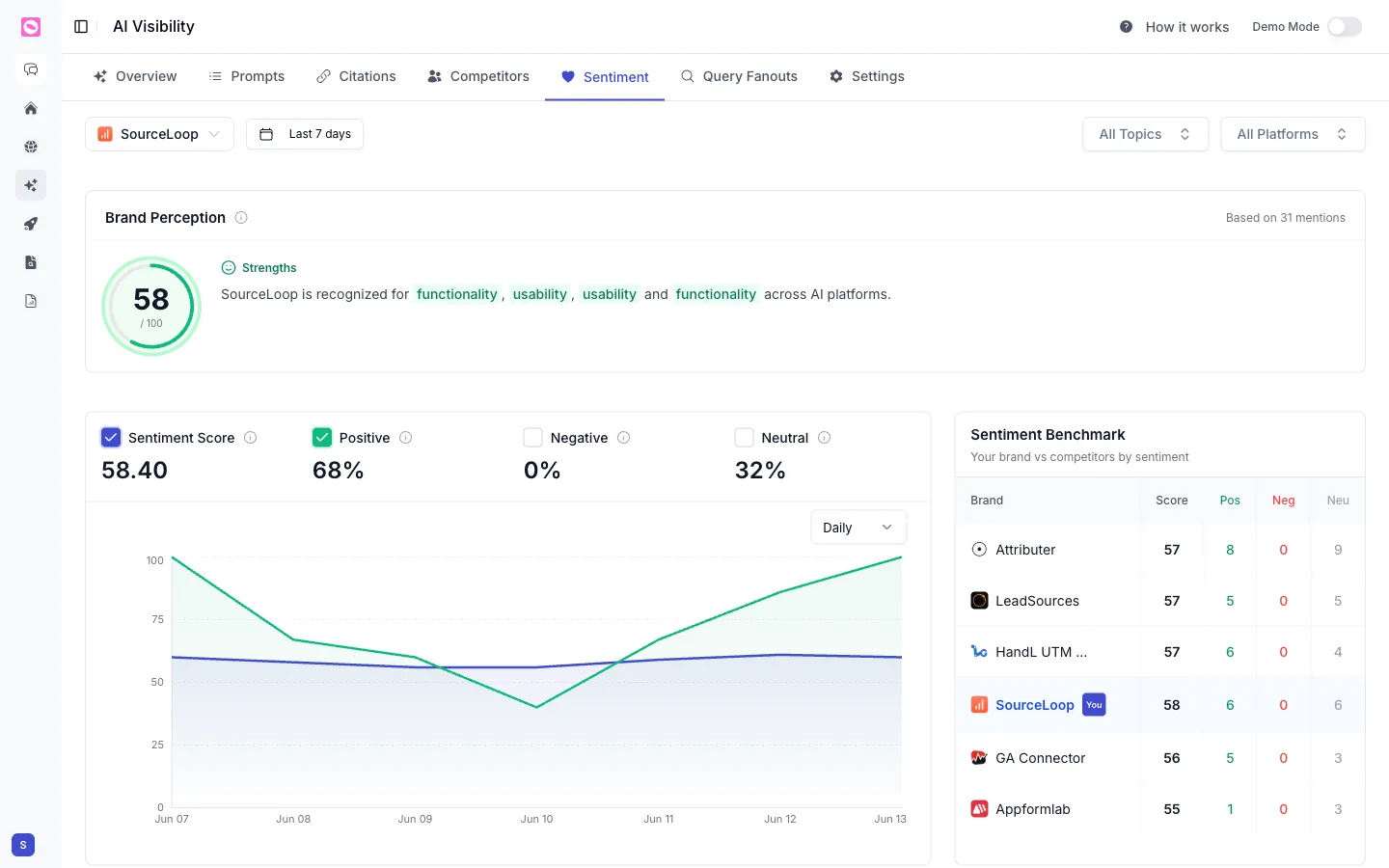
Strong visibility with rising negative sentiment usually means an AI engine is repeating an outdated review or a stale comparison. Find the source, then fix or refresh the page it is pulling from.
What to do with the data
AI visibility is not a vanity number. A simple weekly loop keeps it useful:
- Open Prompts and find the lowest-visibility prompts that matter to revenue.
- Check Citations to see what pages already win, and what is missing.
- Write or improve a page that answers that prompt directly and clearly.
- Come back next week and watch the share on that prompt move.
If you would rather not do this by hand, an Orchly agent can watch your low-visibility prompts and draft the content for you. See how to build your first agent.
AI engines refresh their answers on their own schedule, not yours. Expect changes over weeks, not hours. Judge progress by the trend line, not by a single reading.