How to compare competitor AI visibility
Benchmark your share of AI answers against named competitors and see who is winning each prompt across every AI engine.
Knowing your own visibility is useful. Knowing it next to your competitors, per AI engine, is what tells you where to push. The Competitors tab is a heatmap that does exactly that.
Reading the heatmap
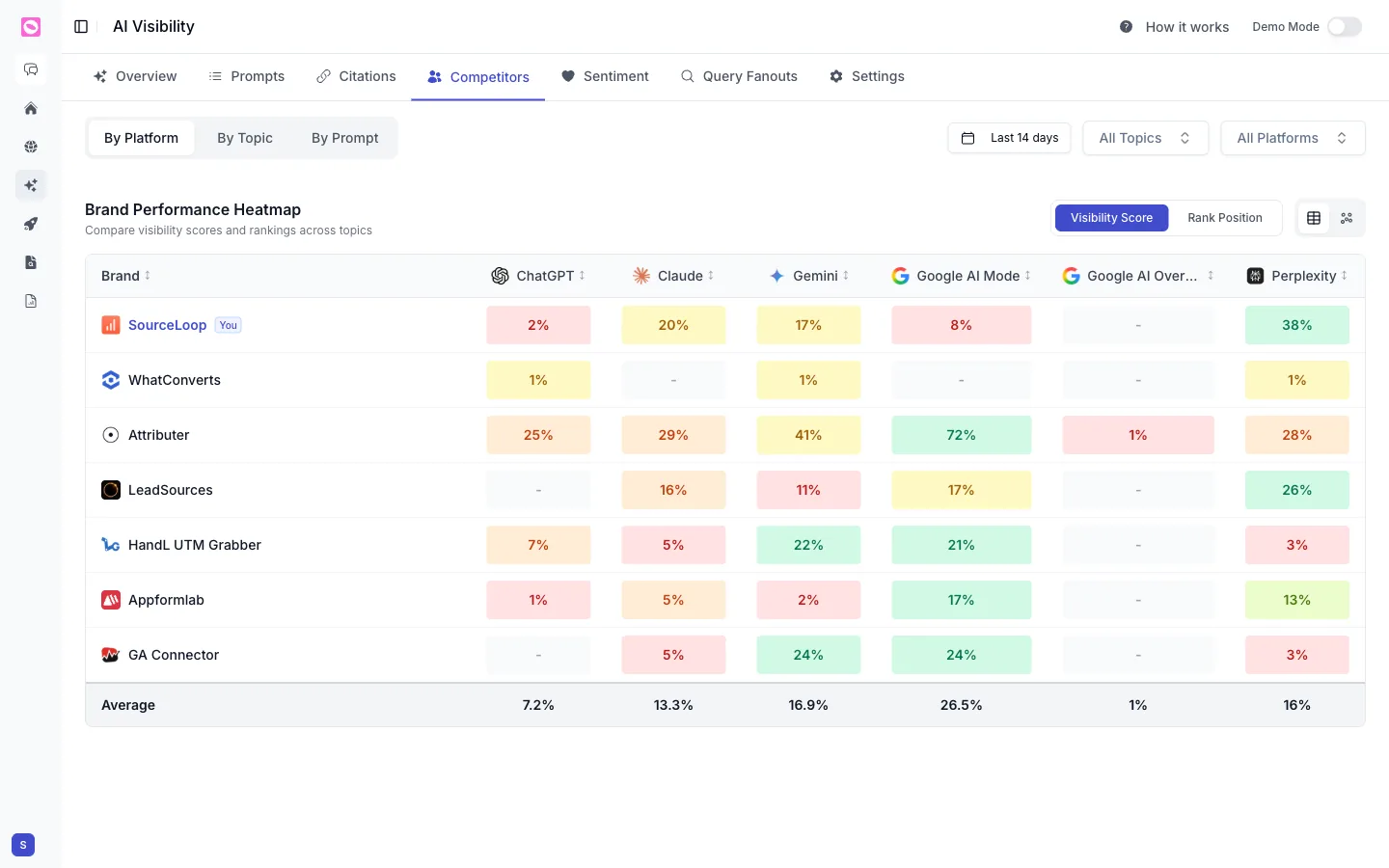
Each row is a brand and each column is an AI engine: ChatGPT, Claude, Gemini, Google AI Mode, Google AI Overview, and Perplexity. Your brand is highlighted with a You tag, and an Average row at the bottom shows the field’s typical score per engine.
Cells are color-coded, so weak spots jump out. A pale or dashed cell means you barely register on that engine, while a strong green cell means you are winning it.
Three ways to slice it
Use the toggles at the top left to change what the rows compare:
- By Platform compares brands across each AI engine.
- By Topic compares brands across your tracked topics.
- By Prompt compares brands on individual prompts.
And switch the values between Visibility Score and Rank Position depending on whether you care about share of answers or average placement.
Look for an engine where you trail the leader by a small margin, or a topic where one competitor is far ahead. Those gaps usually close with one or two strong pages, and the heatmap shows you exactly where the effort pays off.
Set up the comparison
The competitors shown here come from your brand kit. If a key rival is missing, add it so it appears across every AI visibility view. See add and manage competitors.