How to create a custom skill in Orchly
Write your own skill with clear instructions so every agent that uses it produces consistent, on-brand work.
The prebuilt skills cover common jobs, but your best work follows your own playbook. A custom skill captures exactly how you want a task done, so every agent that uses it produces consistent, on-brand output. This walks through creating one.
New to skills? Read what are skills in Orchly first.
Start from scratch or duplicate
Open Content & Action → Skills and click New Skill. Two ways to begin:
- Duplicate a prebuilt skill. Fastest when your job is close to one Orchly already does, like article writing with your own structure. You inherit a working set of instructions and tweak it.
- Start from scratch. For a job the prebuilt skills don’t cover.
Give the skill a clear name and a one-line description. The description isn’t just for you: it’s how an agent decides when to load this skill, so make it say what the skill does and when to use it.
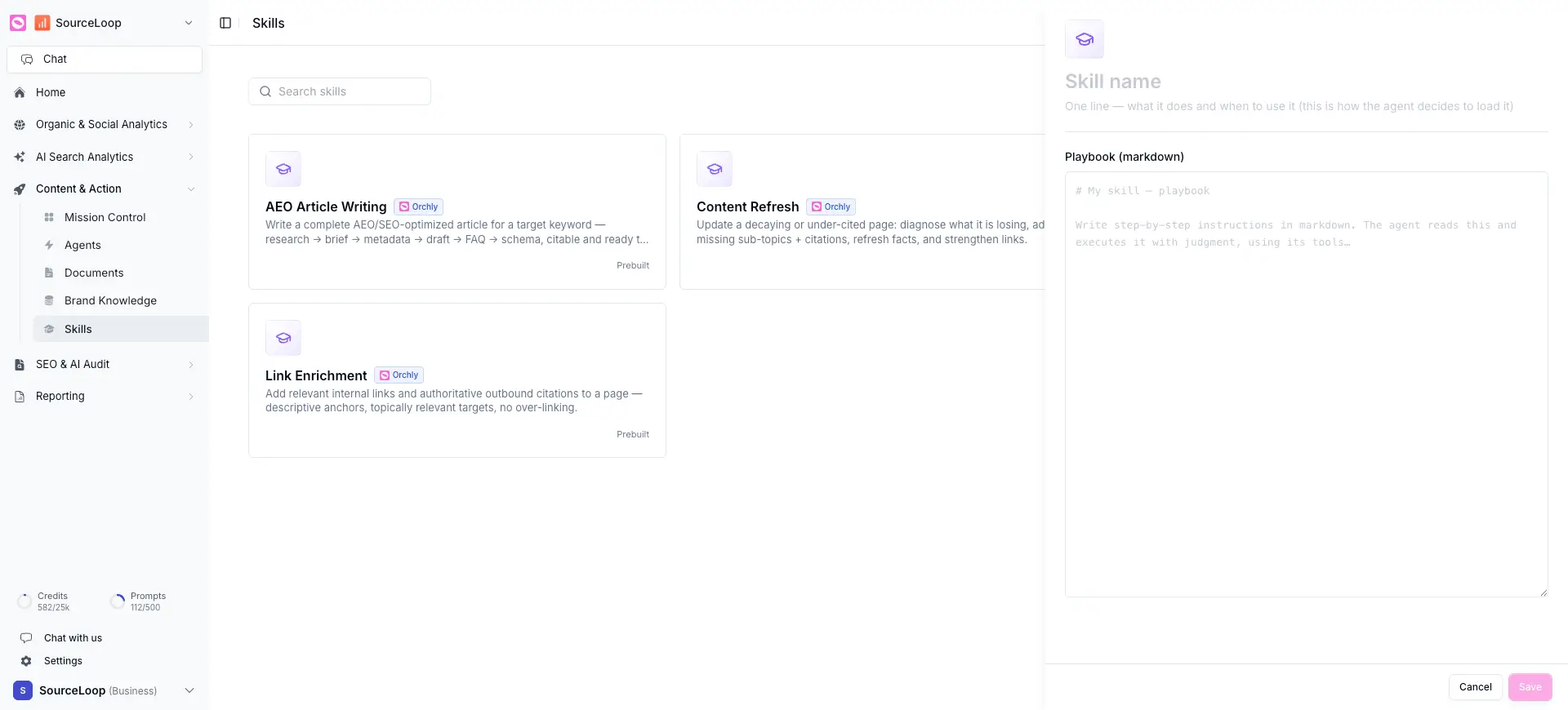
Write the playbook
The Playbook is the heart of the skill, a set of step-by-step instructions written in markdown. The agent reads it and carries it out with judgment, using its tools.
Write it like a process you’d hand a capable new teammate:
- State the goal in one line (“Write a comparison page that ranks for [keyword] vs [competitor]”).
- Lay out the steps in order (research, outline, draft, add metadata).
- Spell out the structure you want (the exact headings, sections, length).
- Note what to avoid and what “done” looks like.
The fastest way to write a great skill is to reverse-engineer a piece of content you’re proud of. What steps produced it? What structure did it follow? Write those down and you have a skill that reproduces your best, not your average.
Lean on your brand kit
You don’t need to restate your voice in every skill. Your brand profile and writing instructions already travel with every agent. Keep skill instructions about the task and structure, and let the brand kit handle tone and rules. That keeps skills reusable and your voice consistent everywhere.
Put it to work
Once saved, your skill is available to agents and in Chat. Attach it to an agent, run the job, and refine the instructions based on what comes back. A skill gets sharper every time you use it.