How to chat with your AI agent in Orchly
Ask questions and run tasks in a live chat that has your data, skills, and connected apps right there with it.
Sometimes you don’t want to build an agent, you just want an answer. Chat is a live conversation with the Orchly Assistant, your AI-search and SEO copilot. It has your data, your skills, and your connected apps right there, so you can ask about your visibility or kick off a quick task without leaving the page.
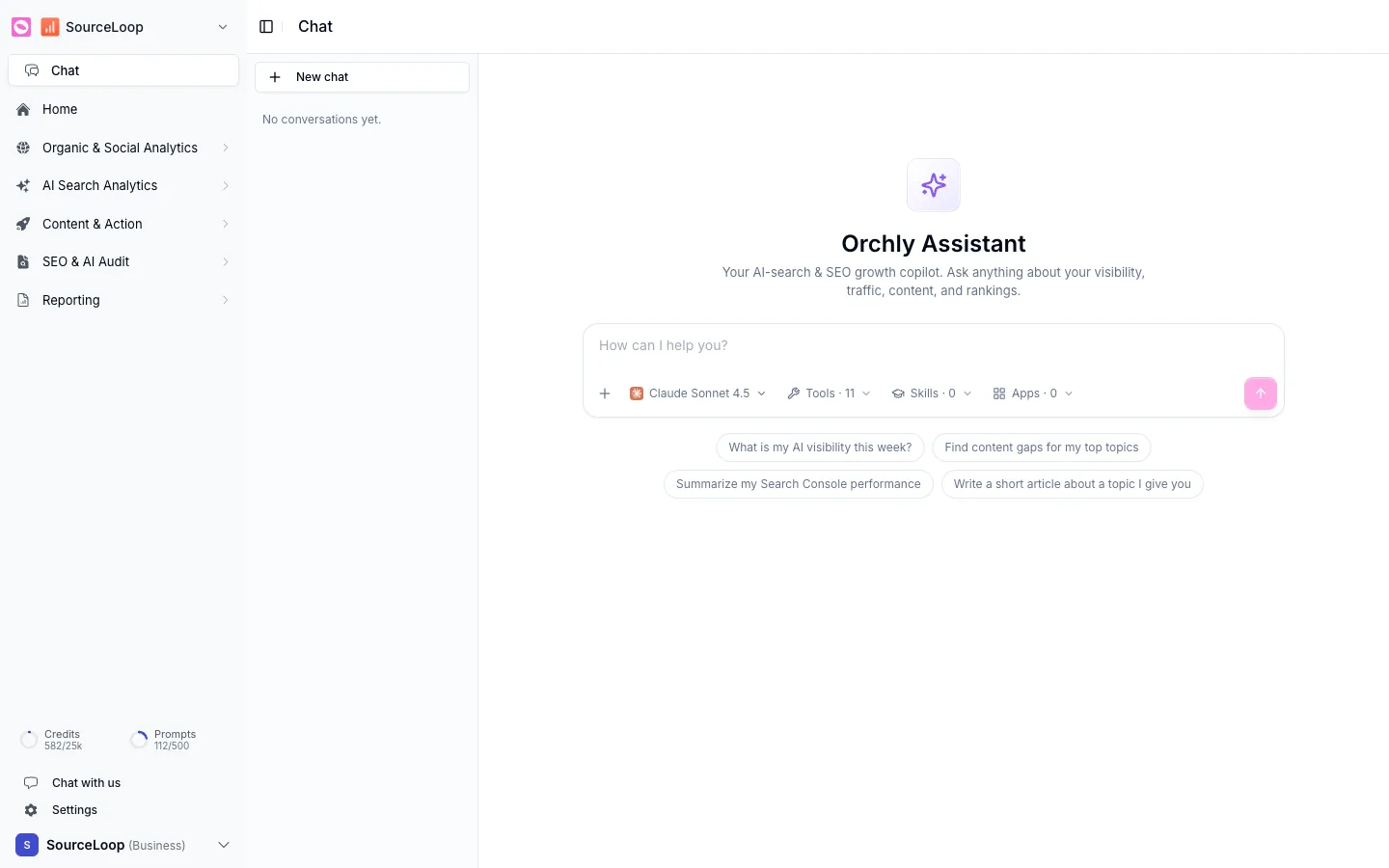
You’ll find it at the top of the sidebar, under Chat.
Start a conversation
Click New chat and type your question. The Assistant can answer from your real data, so you can ask things like:
- What is my AI visibility this week?
- Find content gaps for my top topics.
- Summarize my Search Console performance.
- Write a short article about a topic I give you.
Those starter prompts appear on a fresh chat to get you going.
Tune the conversation
The bar under the message box lets you set up the chat before you send:
- Model, pick the brain for this conversation (Claude, GPT, Gemini, or DeepSeek).
- Tools, the data and actions the Assistant can use, like Search Console, AI visibility, and web search.
- Skills, attach a skill so the Assistant follows a specific playbook.
- Apps, bring in connected services for the task.
If you ask about Search Console data, make sure the Search Console tool is on for the chat. The Assistant can only use what you’ve given it, so match the tools to what you’re asking about.
Chat vs agents
Chat is for the back-and-forth: quick questions, one-off tasks, exploring your data. Agents are for repeatable, scheduled work. If you find yourself asking the Assistant to do the same thing every week, that’s a sign to turn it into an agent.