How to write SEO articles with an AI content agent
The Content Agent board takes article and refresh ideas from suggestion to published, with an agent writing each one for your review.
The Content Agent is the AI content agent that writes your SEO articles, and its board is where ideas turn into published posts. Orchly suggests new articles and page refreshes from your Search Console data, AI citations and competitor rankings, you approve the ones worth doing, and an agent writes each draft for you to review before it goes live.
Open it from the sidebar under Content & Action → Content Agent.
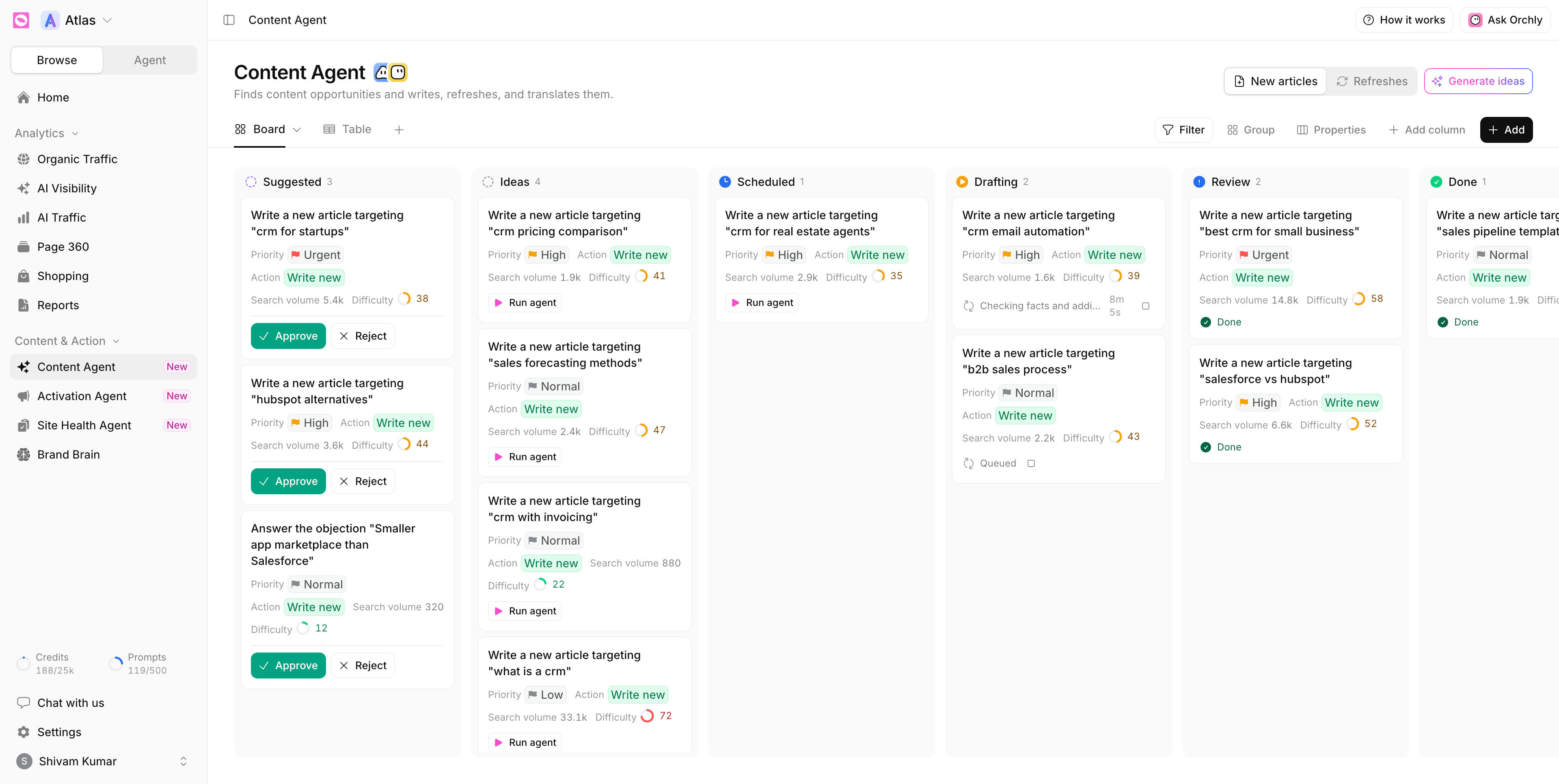
New articles vs Refreshes
The switch at the top right splits the board into two kinds of work, because they’re found for different reasons and run by different agents:
- New articles: topics your buyers search for, or ask ChatGPT and Perplexity about, that no page of yours answers yet. The Article Writer agent drafts them.
- Refreshes: pages you already have that are losing traffic or ranking just short of the top. The Article Refresher agent rewrites them and keeps what already works.
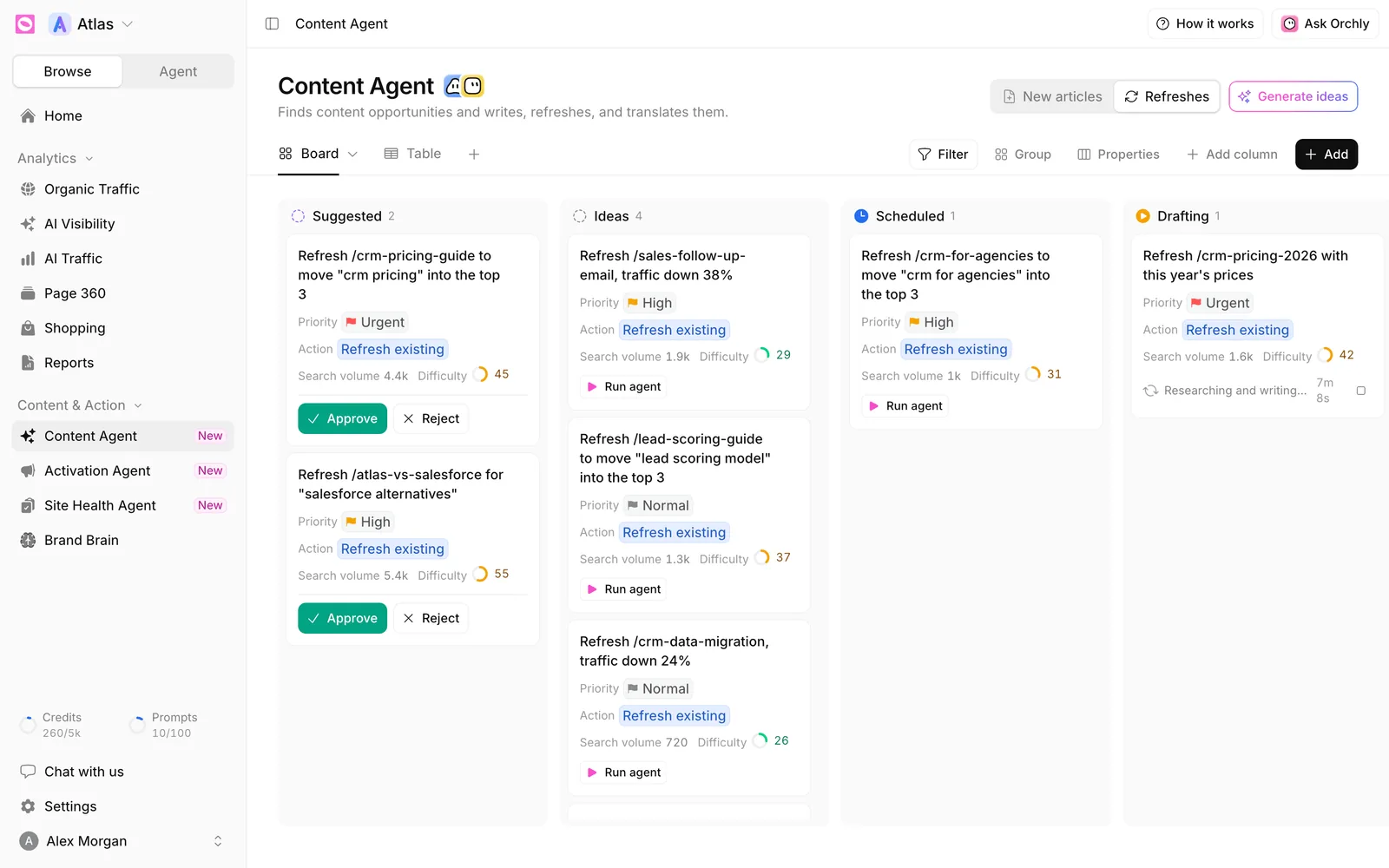
What each column means
Cards move left to right as work progresses.
| Column | What’s happening |
|---|---|
| Suggested | Orchly found it. It waits for your approval |
| Ideas | Approved and ready for an agent |
| Scheduled | Set to start at a later date. It starts on its own when due |
| Drafting | An agent is researching and writing |
| Review | The draft is ready for you to read |
| Done | Finished |
| Published | Live on your site |
Each card shows its Priority (Urgent, High, Normal or Low), the Action (Write new or Refresh existing), and the keyword’s Search volume and Difficulty from 0 to 100.
Approve or reject suggestions
Suggestions only become work when you say so.
- Approve moves the card to Ideas, where agents can run on it, by hand or on a schedule.
- Reject removes it from the board and tells the planner, so the same idea isn’t suggested again. It asks you to confirm, since there’s no undo.
To decide on several at once, select them and approve or reject them together.
Where do suggestions come from?
Once a week the planner reads your business profile from Brand Brain, your Search Console queries, competitor rankings, and the AI prompts where rivals get named instead of you. Every idea is checked against what you already have. Anything on the board, already drafted, ranking in the top 10 or rejected before is left out.
The weekly list stays short on purpose: at most 5 new articles and 3 refreshes waiting at once. A suggestion nobody acts on for 28 days expires so a fresher one can take its slot.
Want ideas now instead of next week? Click Generate ideas. See generate content ideas.
Run the AI content agent on a card
On any card in Ideas or Scheduled, click Run agent. The card moves to Drafting and shows what the agent is doing (“Researching and writing…”) with a timer. Click the stop button if you change your mind.
When the draft is done the card lands in Review. Click it to open the record, then open the article. It’s a normal document with an SEO and AI score, a chat to edit with AI, and comments for your team.
If a run fails, the card says Failed. Hover for the reason and click Retry.
Research and drafting happen on their own. Publishing to your CMS or changing a live page waits for your approval. See publish AI content to your CMS.
Connect your CMS so drafts can publish
Without a connected CMS, the agent still writes good drafts, but they stay in Orchly. A Connect your website CMS banner shows on the board until you connect one. Supported platforms are WordPress, Webflow, Framer, Ghost and Sanity. More in publish agent output.
Add your own work
Click Add to put your own topic or page on the board. It skips Suggested, since you’ve already decided it’s worth doing.
The board is a table underneath. Table shows the same records as rows, and you can filter, group and add columns like any other table. The agent column’s settings (which agent runs, its inputs and its schedule) live in that column’s drawer.